How to Automatically Rename Gmail PDF Attachments Before Saving Them to Google Drive with Make
Add a document-type prefix to Gmail PDF filenames while routing invoice and report attachments into separate Google Drive folders.
test.pdf was saved as invoice_test.pdf in Invoices and report_test.pdf in Reports.What we are building
Gmail — Watch emails
↓
Gmail — List email attachments and media
↓
PDF + specified sender
↓
Router
├─ invoice → Invoices → invoice_originalfilename.pdf
└─ report  → Reports  → report_originalfilename.pdf
Rename invoice PDFs automatically
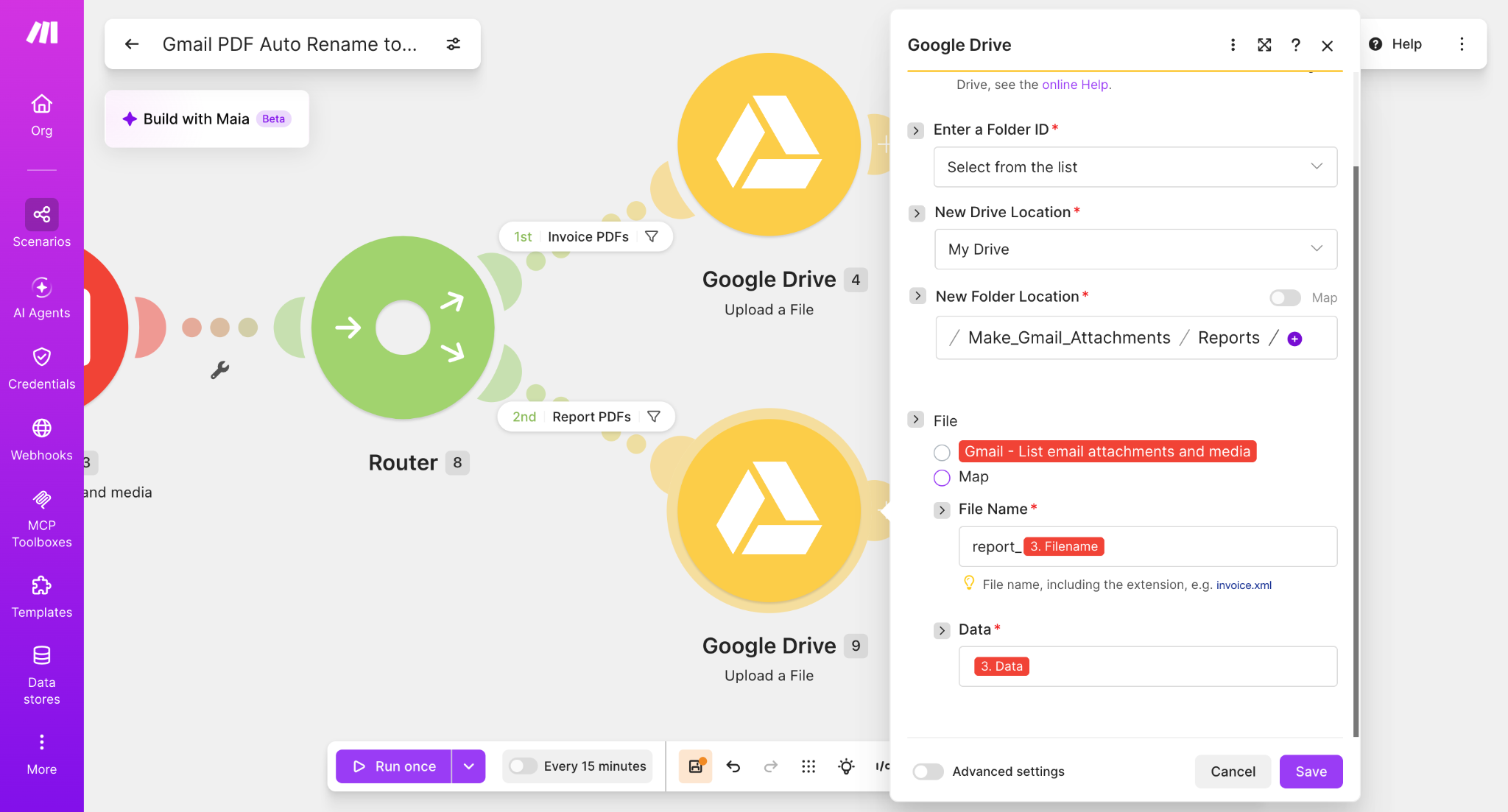
Open the Google Drive upload module on the Invoice PDFs route. Keep the destination folder as Make_Gmail_Attachments / Invoices. In File Name, type invoice_ and then insert 3. Filename. Keep Data mapped to 3. Data.
File Name: invoice_ + 3. Filename
Data: 3. Data
Rename report PDFs automatically
Repeat the same setup on the Report PDFs route, but use the prefix report_ and save to the Reports folder.
Folder: Make_Gmail_Attachments / Reports
File Name: report_ + 3. Filename
Data: 3. Data
Run the scenario
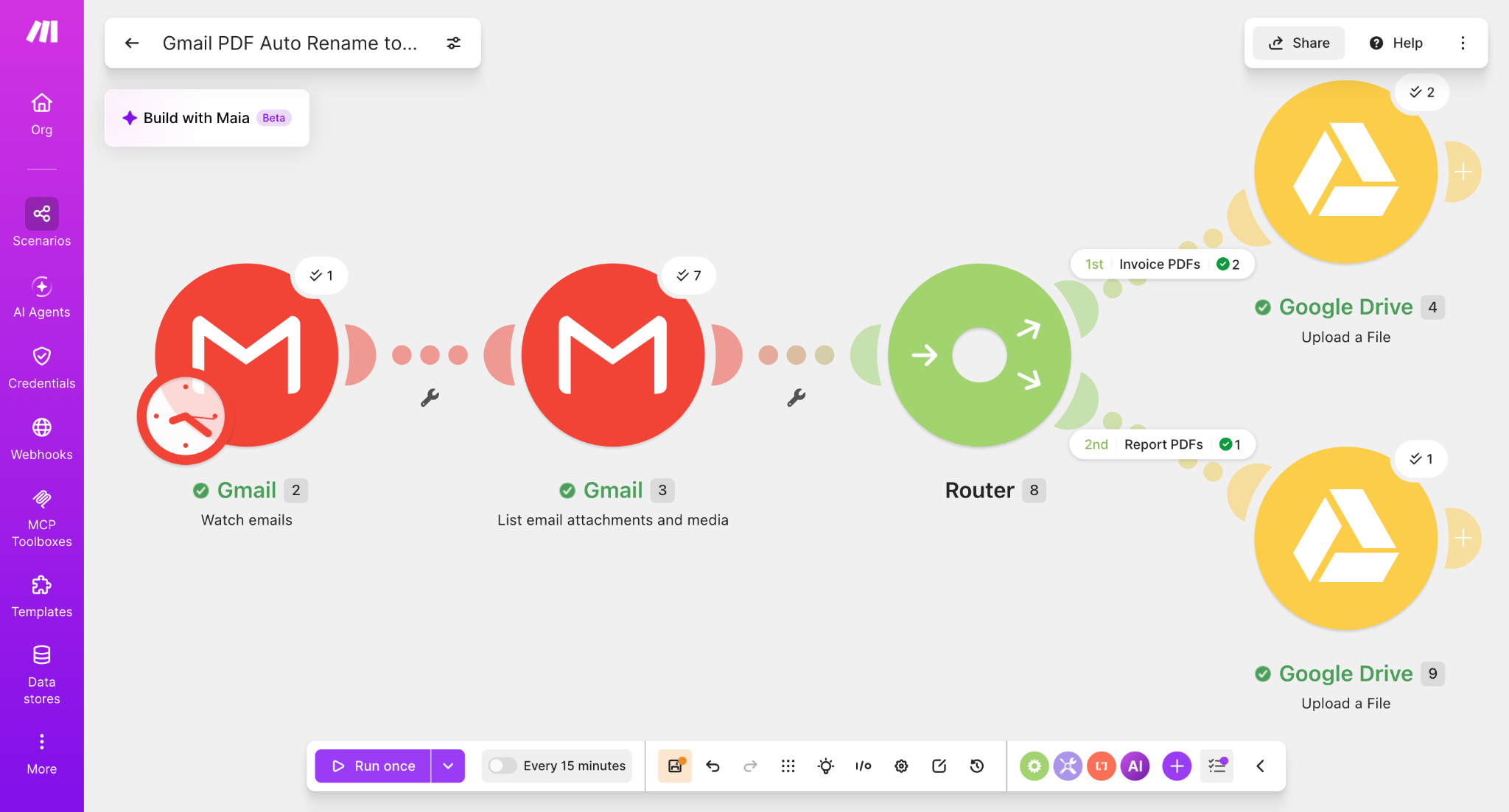
Run the scenario once and send test PDF emails matching each Router condition. The Make execution showed successful processing through both routes.
Test result: Invoice
The original file test.pdf was saved with the Invoice prefix.
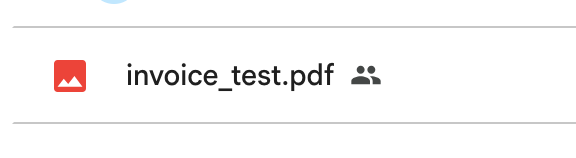
test.pdf became invoice_test.pdf.Test result: Report
The same original filename was processed through the Report route and received the Report prefix.
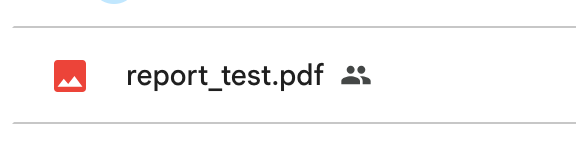
test.pdf became report_test.pdf.What we verified
- Invoice and report PDFs can share the same Gmail attachment workflow.
- Router filters can send each document type to a separate Google Drive folder.
- Fixed text can be combined with the original Gmail attachment filename.
- The original PDF extension is preserved because
3. Filenameincludes it. - The attachment content remains mapped from
3. Data. - Both renamed files were confirmed in Google Drive.
A useful next naming pattern
The simple prefixes make the behavior easy to verify. A later workflow could also add a date, for example 2026-08-16_invoice_test.pdf, for long-term archiving.
Build the workflow
Start with the Router workflow, then add the prefix directly in each Google Drive module's File Name field.
Try Make for freeAffiliate disclosure: Some links on Automation Lab Guide may be affiliate links. If you register through one of these links and later become a paying customer, we may receive a commission at no additional cost to you.