How to Save PDF Gmail Attachments from a Specific Sender to Google Drive with Make
We added a sender-email AND condition to our PDF-only Gmail workflow, then tested both an allowed sender and a different sender.
Affiliate disclosure: we may earn a commission if you register through our link and later become a paying customer, at no additional cost to you.
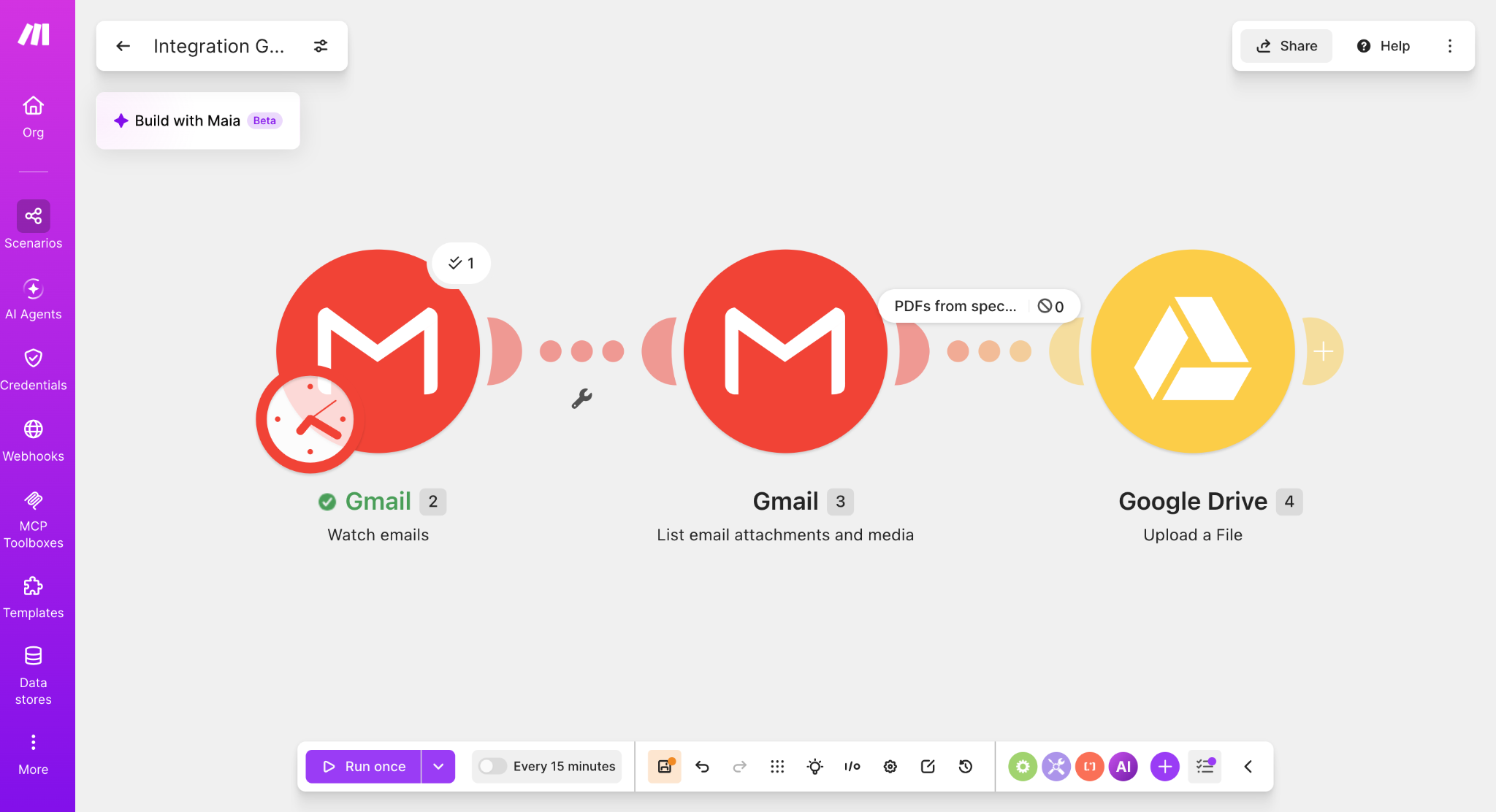
A PDF from the specified sender was uploaded to Google Drive. A PDF from a different sender was detected by Gmail but stopped at the filter, so Google Drive did not run.
Build on the PDF-only workflow
This guide extends our PDF-only Gmail attachment workflow. If you are starting from scratch, first build the Gmail attachments → Google Drive automation.
Add a second AND condition for the sender
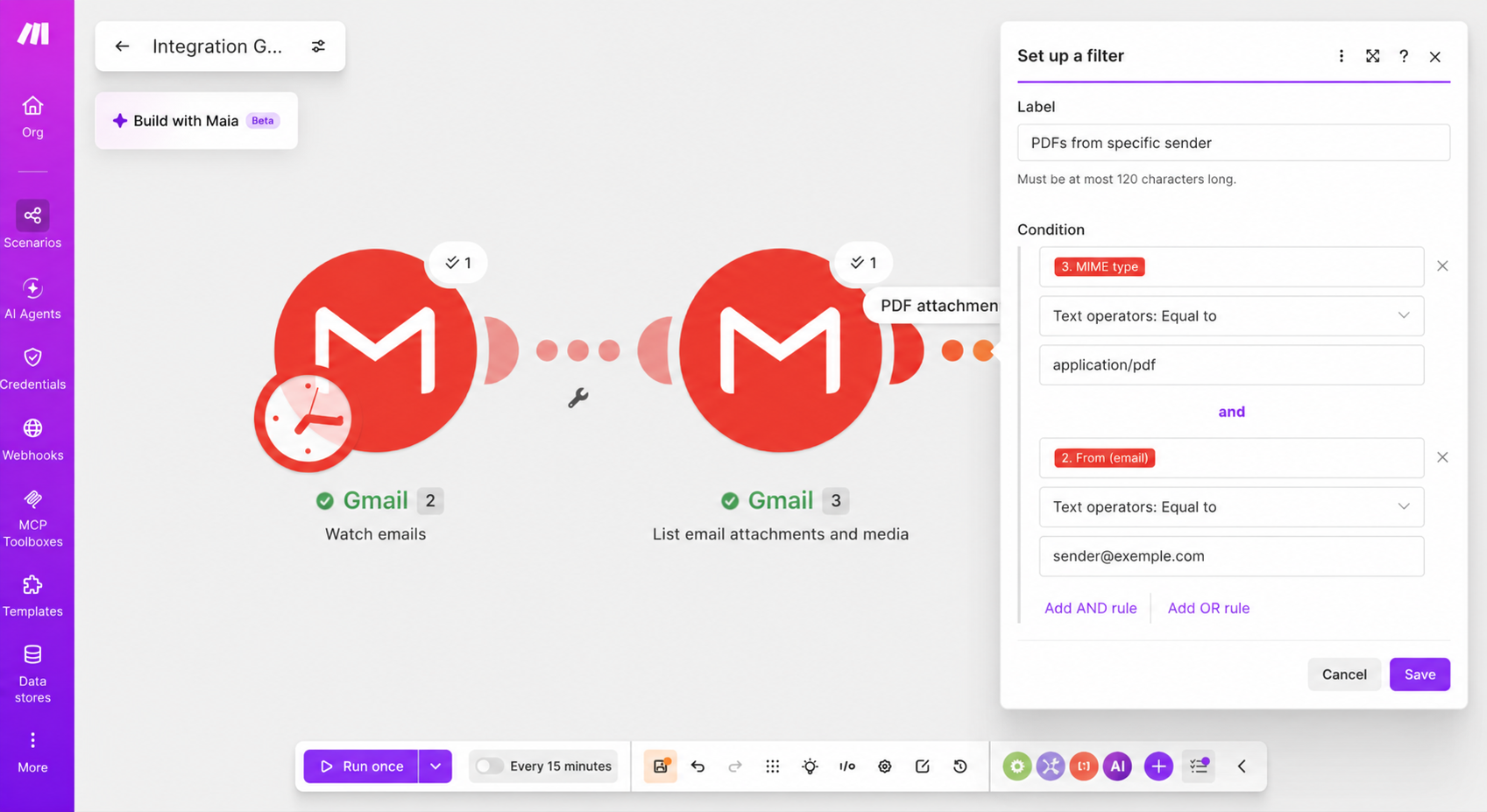
Open Set up a filter between Gmail — List email attachments and media and Google Drive — Upload a File.
3. MIME type
Text operators: Equal to
application/pdf
AND
2. From (email)
Text operators: Equal to
sender@example.com
Test 1: specified sender + PDF
We sent a PDF from the email address configured in the filter. The scenario passed the bundle to Google Drive and the file appeared in the destination folder.

Test 2: different sender + PDF
We then sent a PDF from a different email address. Gmail detected the message, but the filter showed 0 bundles passing through, so the Google Drive upload module did not run.
Why use AND instead of OR?
The attachment must be a PDF and the sender must match the address you specified. Using OR would allow either condition by itself to pass.
Useful real-world examples
This pattern works well for recurring invoices, statements, reports, exported forms, and other PDFs from a trusted source.
Limitations
This version matches one exact sender address. If one organization sends from several addresses or aliases, add suitable OR rules or use a broader matching strategy.
We also tested a third AND condition that requires the exact subject invoice. Read How to Automatically Save Invoice PDFs from Gmail to Google Drive with Make.
Build the sender + PDF workflow in Make
Start with the tested Gmail → Drive workflow, add the PDF MIME type condition, then add the sender email as an AND rule.
Try Make for freeAffiliate link. We may receive a commission if you later become a paying customer. Your price is not increased.